
BY INTEGRATED EFFICIENCY
Practical software for
reporting, work and maintenance.
Choose the tool that fits your work.
Explore three tools available in your browser, plus two products in development. Inspect genuine application screens and exports before you open a tool or discuss your needs.
Available editions save in this browser profile and device. Keep external JSON backups. No accounts, cloud sync or automatic off-page notifications.
Available browser-local tools
Open a tool in your browser. Each starts blank, ready for your own records.

Available now · Browser-local edition
Service reports
For service businesses handing work records to customers
Create clear records of completed service work.
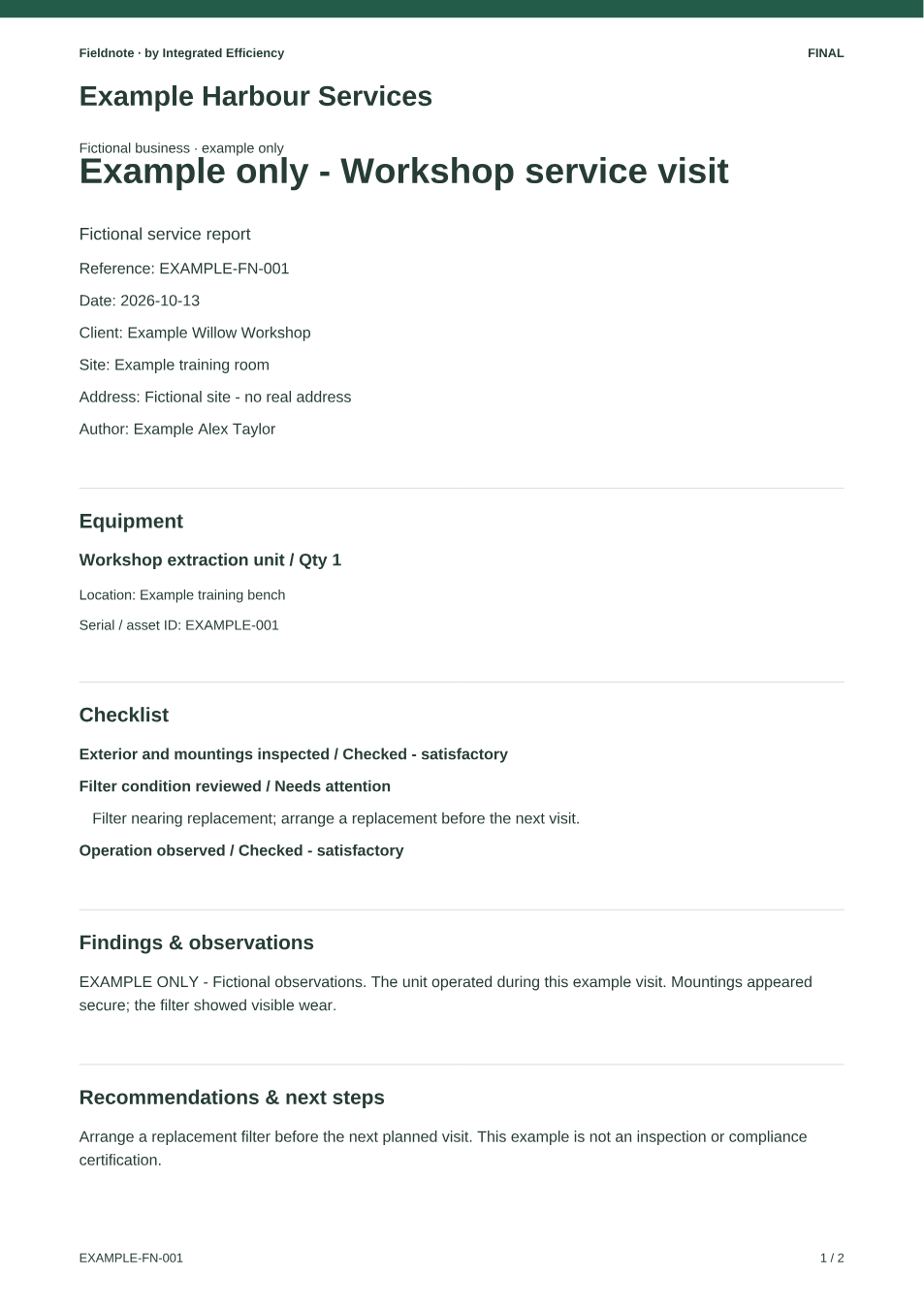
Fieldnote brings your own report content, optional items, photos and sections together, with author review before producing branded PDFs.
Key capabilities
- Your own report content, equipment, checks and photos
- Author review and branded PDF export
- Local saved drafts and editable JSON backup / restore
The practical outcome
A more consistent record of the work carried out, reviewed by the author and ready to share with the customer.
Data stays in this browser profile. Export JSON backups before switching devices or clearing browser data. Local edition limits and migration.
EXAMPLE ONLY · FICTIONAL DATA
Actual screens + native PDFA real report, from entry to PDF
Fieldnote 0.4.0: actual entry and review screens, plus its native two-page PDF. Preview shows the original PDF’s first page.
View actual outputDownload native example PDFRead-only website presentation. It cannot create or change product records.

Available now · Browser-local edition
Adaptive work management
For teams managing different types of jobs and projects
Organise work around the way you operate.
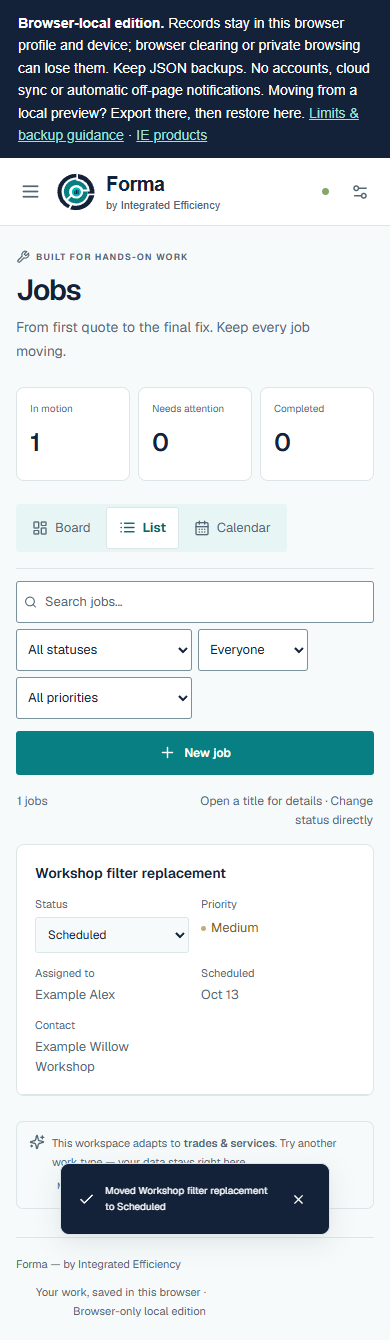
Forma organises work through workflows tailored to different work types. Each type of work can have a process shaped around what it needs.
Key capabilities
- Work-type workflows with board and list views
- Scheduling, priorities and user-defined task checklists
- Optional modules and local JSON backup export / restore
The practical outcome
A clearer way to organise varied work and give each job an appropriate path from one stage to the next.
Data stays in this browser profile. Export JSON backups before switching devices or clearing browser data. Local edition limits and migration.
EXAMPLE ONLY · FICTIONAL DATA
Actual application screenshotsThe same job across working views
Forma 0.1.3: actual List, Board, Calendar and detail editor, with a real Requested-to-Scheduled status change using fictional data.
View actual outputRead-only website presentation. It cannot create or change product records.

Available now · Browser-local edition
Maintenance tracking
For teams responsible for customer assets and service dates
Keep maintenance activity and records organised.
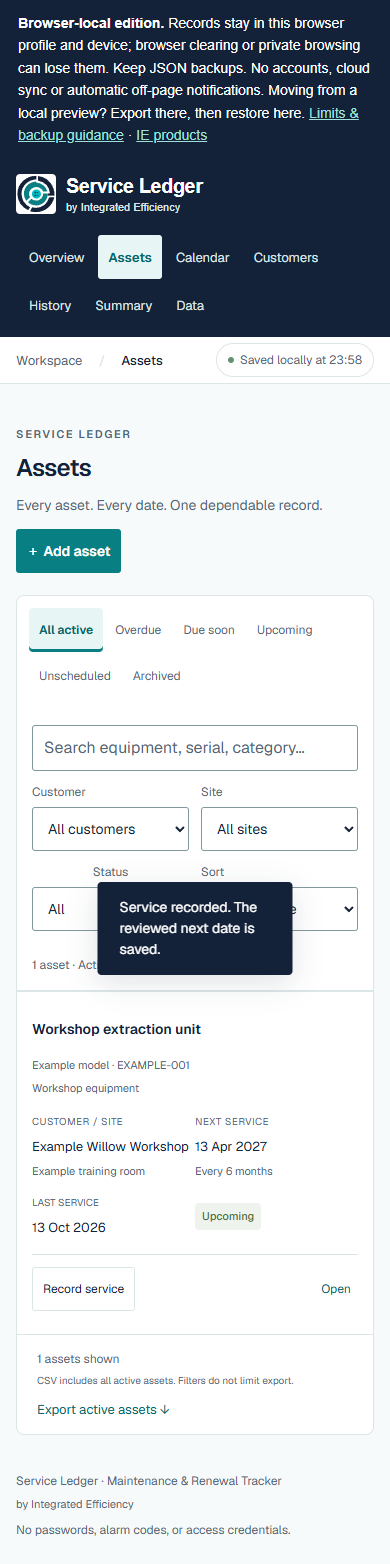
Service Ledger keeps asset records, service dates, service history, warranties and renewals together.
Key capabilities
- Customer, site and asset records with separate service, warranty and renewal dates
- Recorded service history, upcoming / overdue views and a calendar
- CSV import / export and local JSON backup / restore
The practical outcome
An easier way to find an asset’s history and see the dates that matter when planning its next service or renewal.
Data stays in this browser profile. Export JSON backups before switching devices or clearing browser data. Local edition limits and migration.
EXAMPLE ONLY · FICTIONAL DATA
Actual screens + native CSVAn asset, service entry and history
Service Ledger 1.1.0: actual register, reviewed service entry, History and customer Summary, with native asset CSV.
View actual outputRead-only website presentation. It cannot create or change product records.
In development
Explore actual development output and discuss the workflows your business needs. These products are not released for public use.

In development
Trade business administration
For trade businesses organising customers, jobs and paperwork
Bring the job and its paperwork together.
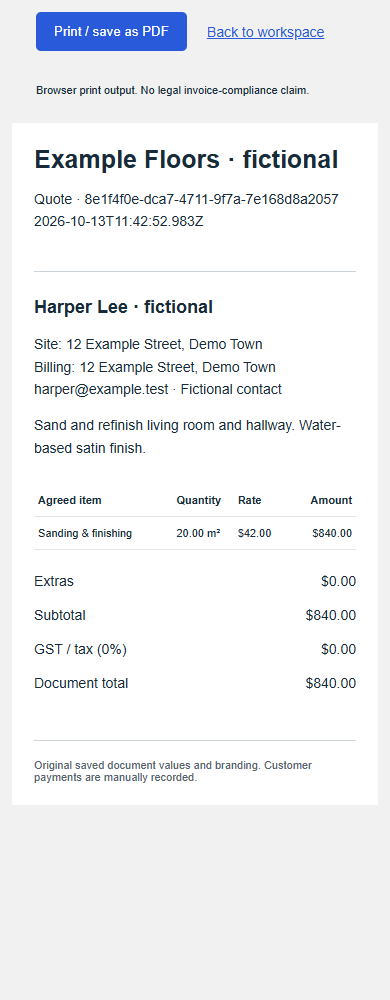
Tradie Pencil is being developed for trade businesses to manage customers, jobs, quotes and invoices in one place.
Key capabilities
- Customers and jobs connected to itemised quotes and variations
- Job scheduling with deposit and final invoice records
- Original branded document views with browser print / save as PDF
The practical outcome
A connected view of everyday job administration, from customer details and quoting through to invoicing.
EXAMPLE ONLY · FICTIONAL DATA
Development screenshotsThe actual development quote screen
Original quote-print and job-detail screens from an isolated development preview with fictional records. In development.
View actual outputRead-only website presentation. It cannot create or change product records.

In development
Governed business operations
For owners coordinating commercial work and operations across teams
Run the work. Keep the control.
Axiovra connects customers, opportunities and commercial commitments with projects, stock, procurement, production, service, finance, communications and research in a role-aware operating platform. Owners can follow work across departments, with evidence, approvals and execution records attached to consequential decisions.
Key capabilities
- Commercial commitments connected to delivery, stock, service and finance
- Document evidence, clarification, reviewed Blueprints and business-record changes
- Role-aware authority, approval stages, execution receipts and manual control
The practical outcome
A clearer connection between priorities, handoffs, delivery, stock and financial activity — with responsibility and review built into the work. Axiovra is an engineering candidate in development; connected providers and workflows depend on commissioning and acceptance.
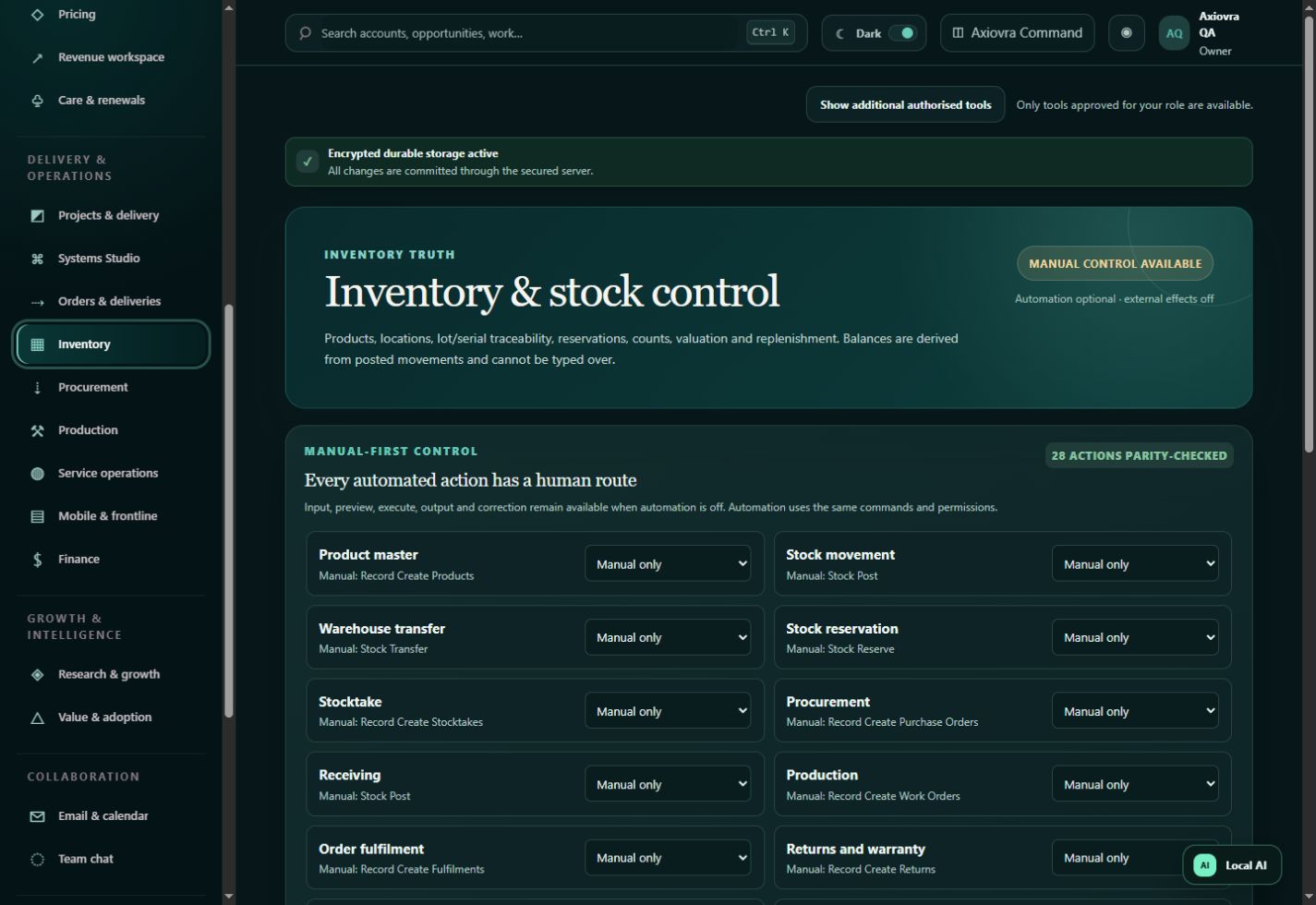
ACTUAL QA CAPTURE · AUGUST 2026
Actual retained QA screenshotAxiovra’s actual inventory interface
Unchanged retained 5.12 branch QA capture, August 2026. Manual-only demonstration state; external effects off. Additional historical 5.7 views are clearly labelled.
View actual UI and evidenceRead-only website presentation. It cannot create or change product records.
Before you open a tool
Where do the available tools save my records?
Forma, Fieldnote and Service Ledger save in this browser profile on this device. Browser clearing, private browsing or storage eviction can lose records. Keep external JSON backups. There are no accounts or cloud sync.
How do I move my records to another browser or device?
Export a JSON backup in the original tool, transfer it yourself, then use that tool’s supported restore flow in the destination browser. A PDF or CSV is not a complete editable backup. Read local storage and migration guidance.
What output can I inspect or export?
Fieldnote exports branded PDFs. Forma provides its working board/list views and JSON backups. Service Ledger exports asset CSV and JSON backups and has a built-in customer Summary screen with browser printing. Tradie Pencil’s development print views and Axiovra’s retained QA screens are labelled separately.
How do I discuss a development product?
Use the existing IE enquiry form to describe your business and workflows. Tradie Pencil and Axiovra remain in development; no registration, pricing or launch date is offered here.